











Curated catalog
Hand-picked programs with descriptions and icons by category: browsers, games, development, media, security and more.
Find it, click Install. GetBox does the rest.
Official installers, SHA256 checks, updates and rollback in one window. No command line.
portable · winget · scoop · chocolatey
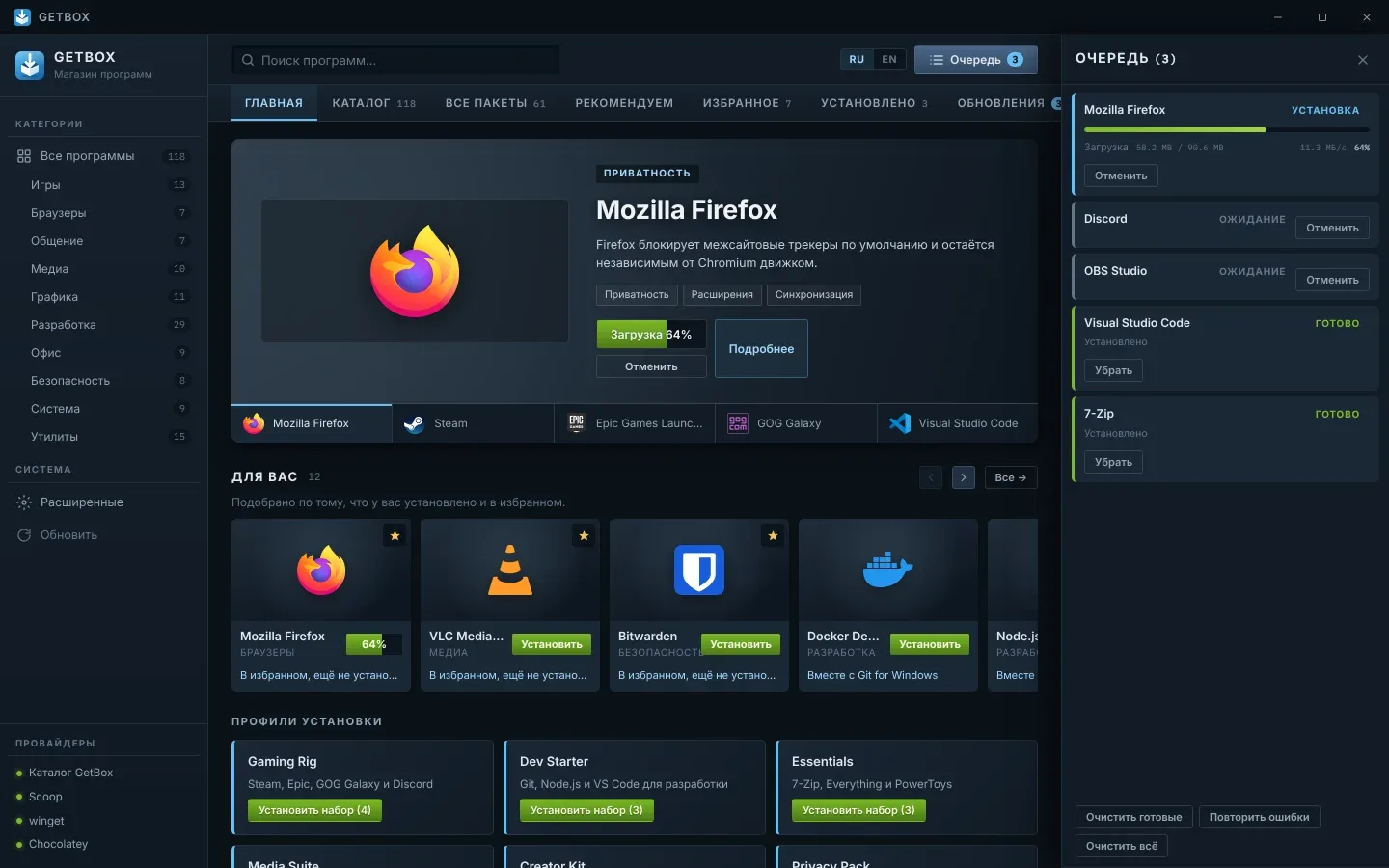
A Steam-like storefront, app-store installs — and you stay in control.
Hand-picked programs with descriptions and icons by category: browsers, games, development, media, security and more.
Thousands of packages from three managers in one search. GetBox sets the managers up itself on first launch.
The Updates tab lists what is outdated — update one or all, and roll a bad update back in one click.
One-click sets (Gaming Rig, Dev Starter, Essentials…), a “For you” feed, “Often installed together” and “Alternatives”.
Install several programs at once with progress, cancel, retry and readable errors.
Five themes including Windows 11 with Mica, a custom accent color, 90–125 % scale and four list views.
Home, catalog, details, queue, updates and five themes.

A new program usually means hunting for the site, checking it isn’t a fake and unticking extras. GetBox does that for you.
Installer links and checksums come from winget manifests, not random mirrors.
HTTPS only, and the SHA256 must match — otherwise nothing runs and the program is installed through winget instead.
No “Next → Next” wizards and no bundled “offers”.
Checks for updates to your programs and to itself: new GetBox versions download in the background and are verified by SHA256.
The GetBox catalog plus winget, Scoop and Chocolatey — in one search.
Curated programs: links and SHA256 from official winget manifests, silent install switches.
Isolated Scoop under LocalAppData — GetBox installs it on first launch.
The system Windows Package Manager. Also the fallback when a file check fails.
Optional: one UAC prompt when you enable it, silent installs after that.
A portable app: no installation and no administrator rights. Keep the exe anywhere — in Documents or on a USB stick.
Windows 10 or 11 (x64) and an internet connection.
c7261ce550b351bde194b1a442dfe76f1e287f09cfc2152cf9266f1edd60b63cwinget install --version, scoop reset app@версия или choco install --version --allow-downgrade.From 1.3.0 on, GetBox updates itself. Coming from 1.2.x, switch once by hand — replace the old exe with the new one; settings are kept. If Windows SmartScreen says “Windows protected your PC”, click “More info” → “Run anyway”.
Catalog programs are downloaded from the publishers’ direct links listed in the official winget index — the same source winget install uses. GetBox downloads over HTTPS only and checks the SHA256 from the manifest before running the installer. Packages from “All packages” are installed by winget, Scoop and Chocolatey with their own checks.
Each release ships a .sha256 file next to the exe, and the current version’s hash is shown in the Download section above. Compare it with the PowerShell output — they must match exactly.
Get-FileHash .\GetBox-<version>-portable.exe -Algorithm SHA256Click “More info” → “Run anyway”. SmartScreen warns about new apps without a paid code-signing certificate; you can verify the file with its checksum.
No. Don’t run GetBox elevated all the time — the Scoop installer refuses to work in an elevated session. Individual installers ask for UAC when they need it; Chocolatey asks once when you enable it.
From 1.3.0 on, automatically: the new version downloads in the background and an “Update to X” button appears in the title bar. Moving from 1.2.x to 1.3.0 is a one-time manual step — replace the old exe with the new one; settings and favorites are kept.
winget ships with App Installer. On older Windows 10 builds, update App Installer from the Microsoft Store. The catalog and Scoop work without winget.
Everything is in %LOCALAPPDATA%\GetBox\: isolated Scoop and Chocolatey, caches, settings and update history. To remove GetBox, close it and delete the exe and that folder. Programs you installed stay; remove them in Settings → Apps as usual.